Web workspace
The complete Admin, Mentor or Mentee workspace in the browser.
Open the web demoBuilt for fellowshipsfellowships, bootcamps, grad programs, communities, internal L&D, and other structured programs
One workspace from the application form to the certificate.
Running the Dev Weekends engineering fellowship since June 2026.
No account needed. The demo uses fictional data and never touches a live organization.

Submitted API validation and rate limiting

Reviewed the evidence, approved with feedback

Saw the clan clear without chasing anyone
Last 4 months
5,244
submissions reviewed
22h
median submission to review
Proof from a program that runs on it
Dev Weekends workspace, 7 June to 13 October 2026
Why programs stall
The hour with a mentor is almost always good. What breaks is the twenty-three hours around it: the follow-up nobody owns, the task nobody can find, the progress nobody can prove.
Week 3
Pairs form from whoever volunteered first. The mentees who most need a mentor are the ones least likely to ask for one.
Week 6
“Keep building” is not a curriculum. Without a next task in writing, momentum leaks away one skipped week at a time.
Week 10
The program lead finds out someone has been stuck for a month at the retro, when it is already too late to help.
Pathment closes the gap.
One workspace where the roadmap, the submission, the review, the roadblock and the decision all live on the same record, visible to the person who needs it, at the moment they need it.
See it by roleOne program, three seats
A program lead, a mentor and a mentee want completely different things from Monday morning. Pathment gives each of them their own front door into one shared record.
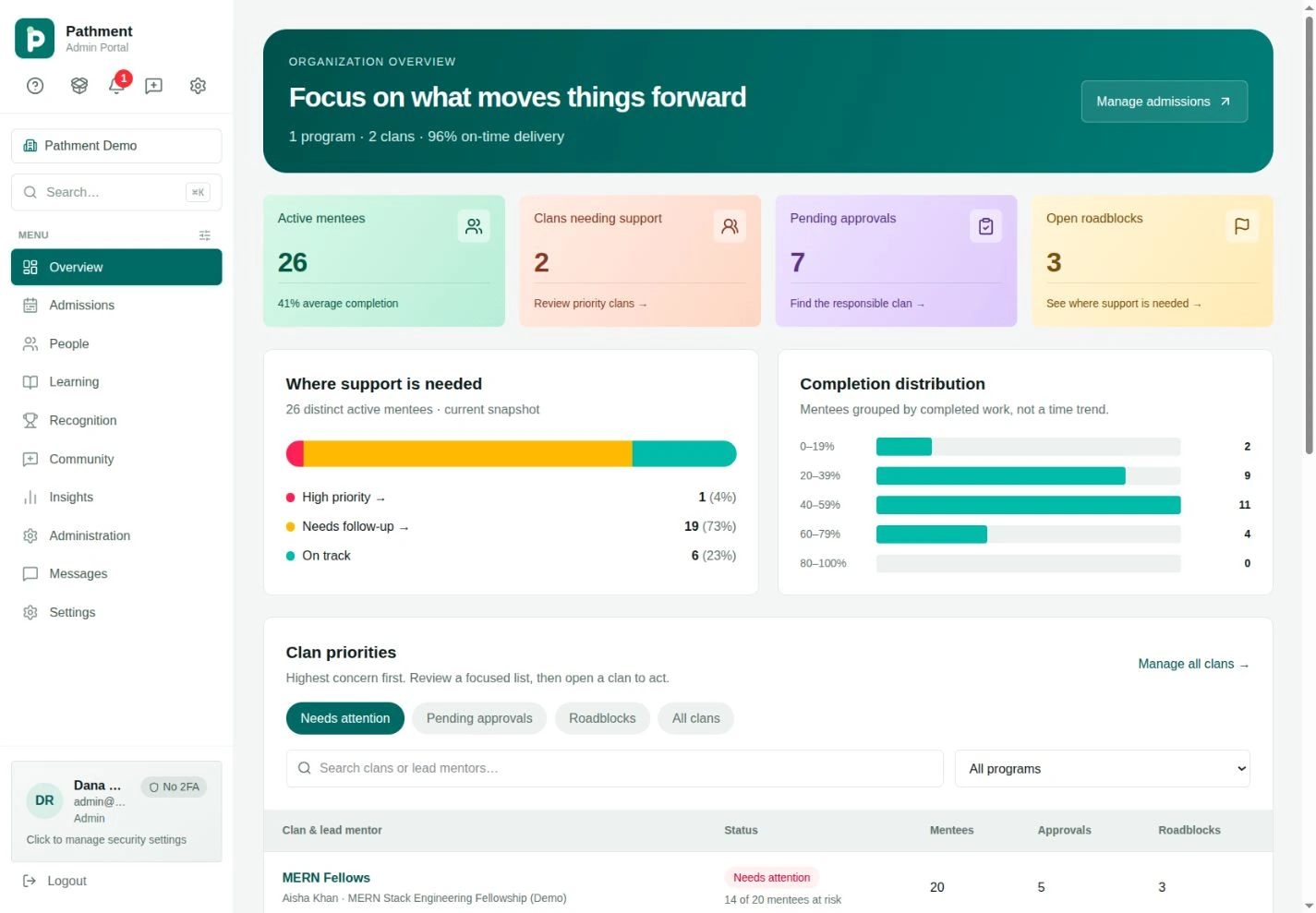
Admissions, placement, program health and recognition in one overview. You stop chasing status and start spending attention where the numbers say it is needed.
Open the admin workspaceWhat is inside
Pathment is not a course platform with mentoring bolted on. Each piece below exists because a real program breaks without it, and every one of them writes to the same record.
Walk through all 68 screensFig 01
Shareable apply links, custom assessments and a magic-link status page. Accept, invite, register and place an applicant in one flow.
Fig 02
Goals become milestones become tasks. Roadmaps adjust as work is approved, so the next step is never a guess.
Fig 03
Versioned submissions with files and links. Approve, request changes, or comment inline, and the roadmap advances on approval.
Fig 04
When someone is stuck, they say so on the record. It reaches the mentor, then the program lead, before it becomes a dropout.
Fig 05
Points, badges, challenges and leaderboards for long programs, plus certificates generated from the work that earned them.
Fig 06
Mentors publish availability, mentees book, and both sides capture notes, sentiment and next steps in the same place.
Fig 07
Direct messages with receipts and reactions, plus feeds scoped to a clan, cohort or program. Mentorship stays social without Slack sprawl.
Fig 08
Completion distribution, at-risk detection and clan priorities: the view a program lead needs to allocate their week.
AI is bring-your-own-key and works with any OpenAI-compatible provider such as OpenAI, Anthropic, Groq or OpenRouter. It drafts roadmaps and assists evaluation; a mentor still makes every approval.
How it works
Four moves from an empty workspace to a defensible outcome. Nothing in between relies on someone remembering to send an update.
Set up
Define cohorts, roles, mentor-led clans, permissions and the learning roadmap. Open an apply link when you are ready.
Program readyAdmit
Applicants complete your assessment, you review them side by side, and accepted members land in the right clan already onboarded.
Cohort placedRun
Every mentor and mentee opens to the work that needs attention now. Submissions, reviews and roadblocks move on the same record.
Work in motionProve
Recognition, certificates and reporting are generated from the decision history, not reconstructed from memory at the end of term.
Outcome recordedEach organization keeps its own people, programs and data.
People only see the tools and decisions that belong to them.
Every review and award keeps the evidence it was based on.
Who runs on Pathment
Every program lead arrives with a version of the same sentence. Find yours and we will show you how the workspace is set up for it.
What the work sounds like
Illustrative, not quoted. These describe the situations Pathment is built for, in the words program leads, mentors and mentees tend to use. Named feedback replaces them as it comes in.
We were running the fellowship out of four spreadsheets and a WhatsApp group. The first week on Pathment was the first week I actually knew where everyone was.
The review queue is the thing. I used to open my laptop and guess who needed me. Now the order is already right and I work down the list.
Every piece of feedback I have been given is still attached to the thing it was about. When I applied for my first role I had the whole trail.
I mentor twenty-four people. Before this I could hold maybe eight in my head. The difference is not effort, it is that nothing falls off the list any more.
Intake used to be a Google Form, a spreadsheet and three people arguing in a thread. Now applicants take the assessment and land in a clan already placed.
Raising a roadblock felt like admitting I was behind. Here it is just a button, and someone actually comes back on it.
The points and badges sound like a gimmick until week nine, when they are the reason half the cohort is still turning up.
My mentor reviewed my submission the same evening and told me exactly which part of the validation was wrong. I fixed it before I lost the thread.
At the end of term I did not have to reconstruct anything. The certificates came out of the work that earned them.
On the phone, too
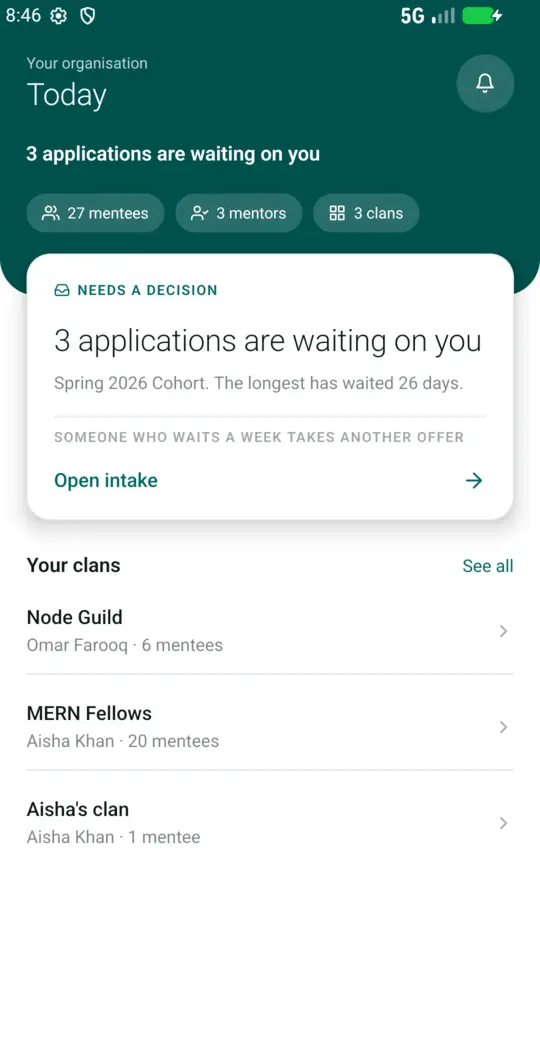
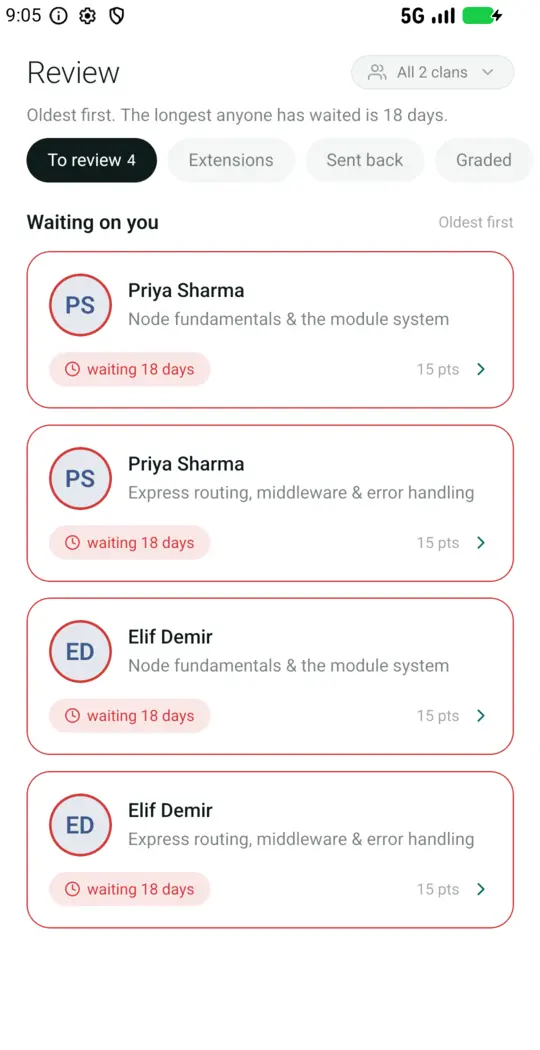
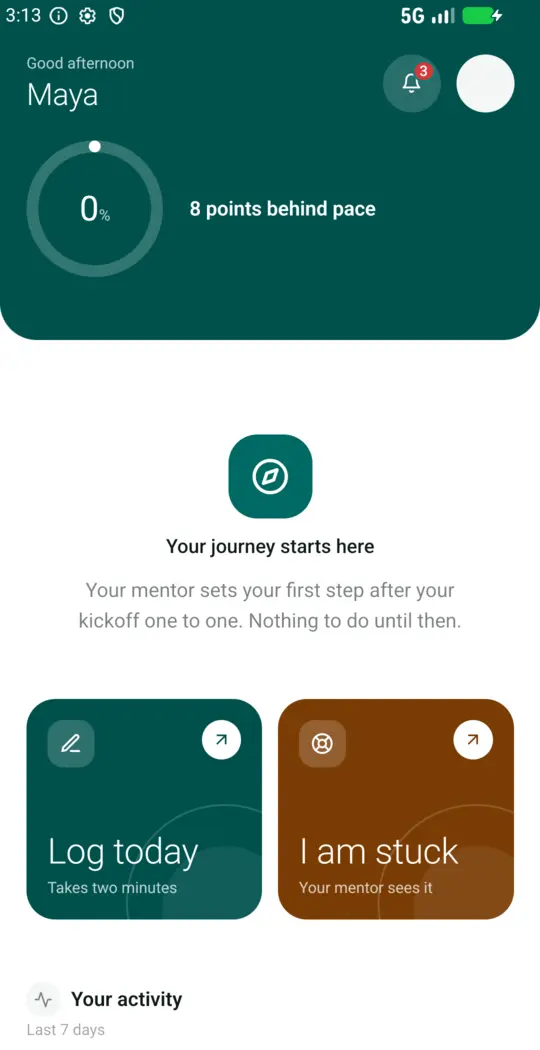
A native Android app with the full five-tab experience for all three roles: approvals, submissions, messages, schedule and recognition. The same record as the web workspace, not a read-only companion.
The complete Admin, Mentor or Mentee workspace in the browser.
Open the web demoNative navigation for every role, with the full screen directory.
Pricing
Not sure which plan fits? Share your participant count and launch date, and we will recommend the smallest plan that works.
Compare plans in detailQuestions
Still unsure about something? Send us the question and a person answers, usually the same day.
Next step
Open the demo and walk the whole thing yourself, create a workspace in a couple of minutes, or tell us about your program and we will tell you honestly whether Pathment fits it.
No sales sequence. A member of the team replies to your work email, once.
Three required fields. No sales maze.